
CONTROL4 DEALER - NORTHERN VIRGINIA
One home.
Beautifully
in sync.
Lighting, music, entertainment, comfort, and security. Brought together with Control4. Thoughtfully designed by Nuvetra. Automation solutions in Northern Virginia — including Leesburg, Fairfax, Ashburn, Aldie, Great Falls, Vienna, Reston, Hamilton, Middleburg, Winchester, Lovettsville, Purcellville, Round Hill, and McLean.
A NEW VISION OF INTEGRATION
Personalized for the way you live - NORTHERN VIRGINIA

A SMARTER HOME, SIMPLY EXPLAINED
Your home’s technology.
One familiar experience.
Control4 connects compatible devices so they work together. A single button can set the lights, start music, lower shades, and prepare a room for the moment ahead.
As a Control4 dealer, Nuvetra designs the system, selects compatible equipment, and programs the details around your routines. You get simple controls for a home that does more.
THE POSSIBILITIES
Lighting & keypads
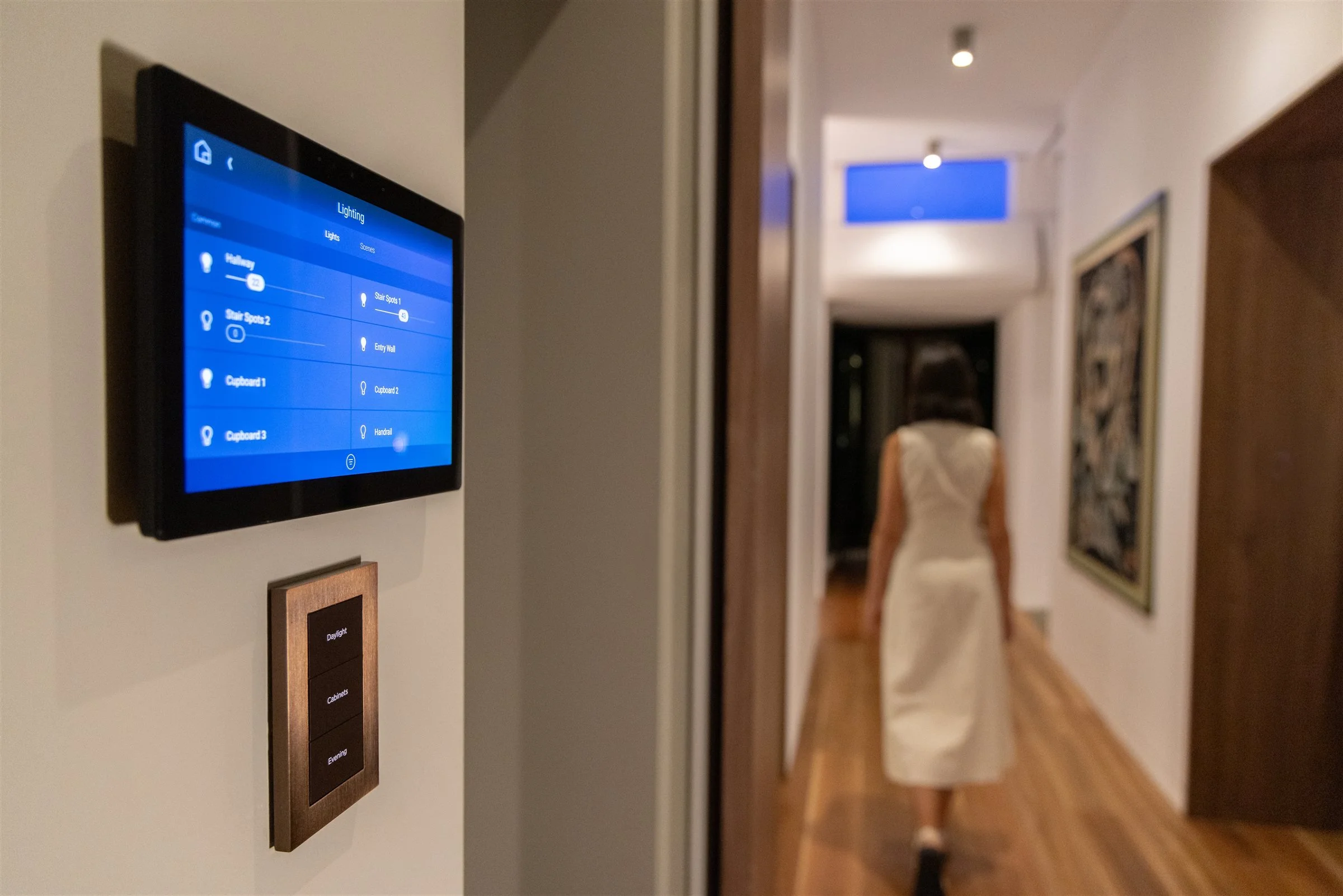
Beautiful layers of light. Simple buttons. The right atmosphere for every moment.
Explore lighting LISTENWhole-home audio
A different playlist in each room, or one soundtrack from the kitchen to the patio.
Explore audio WATCHTV & home theater
Your screen, sound, lights, and shades, ready with a single command.
Explore entertainment CONNECTAccess & awareness
Check a lock, see a visitor, and know whether the garage is still open.
Explore access & security RELAXComfort & outdoors
Shades, temperature, landscape lighting, and outdoor living in the same experience.
Explore comfort SIMPLIFYControl your way
Reach for a wall keypad, remote, touchscreen, or the phone already in your hand.
Explore the controlsStart with the spaces that matter most. Build toward a connected home at your own pace, with a plan that makes room for what comes next.
Everything you love.
Working together.

TV & HOME THEATER
Less setup.
More showtime.
Choose what you want to watch. Control4 can turn on the right equipment, select inputs, and put volume control in one place.
ONE TOUCH. THE WHOLE EXPERIENCE.
Set the scene.
See the difference.
Press a keypad button and watch the room respond. Each scene coordinates the lighting and entertainment for a different moment.
Full room lighting makes it easy to settle in. The screen and sound system are off.
Purple
Theater volume · 35%
Adjust the accent lights independently of the keypad.
Illustrative keypad and AI-created theater. Scene settings are examples of custom programming, not fixed Control4 presets. Backlight colors and scene settings are illustrative; availability depends on the selected equipment and programming.
A complete theater experience
A Movie Night scene can lower a motorized screen, power the projector and surround system, close shades, and fade the lights. A programmed intermission scene can bring pathway lights up.
Control4 provides the orchestration. Your projector, receiver, speakers, room acoustics, and installation determine picture and sound performance, including Dolby Atmos when specified.
One command powers down the entertainment system and restores your preferred lighting.
-
Yes, with a properly designed video distribution system. A compatible video matrix or AV-over-IP solution can route centralized sources to different displays. Source availability, resolution, HDR, copy protection, cabling, and audio timing must be considered. A single shared source shows the same content wherever it is selected; independent viewing requires enough independent sources.
Everyday TV, simplified
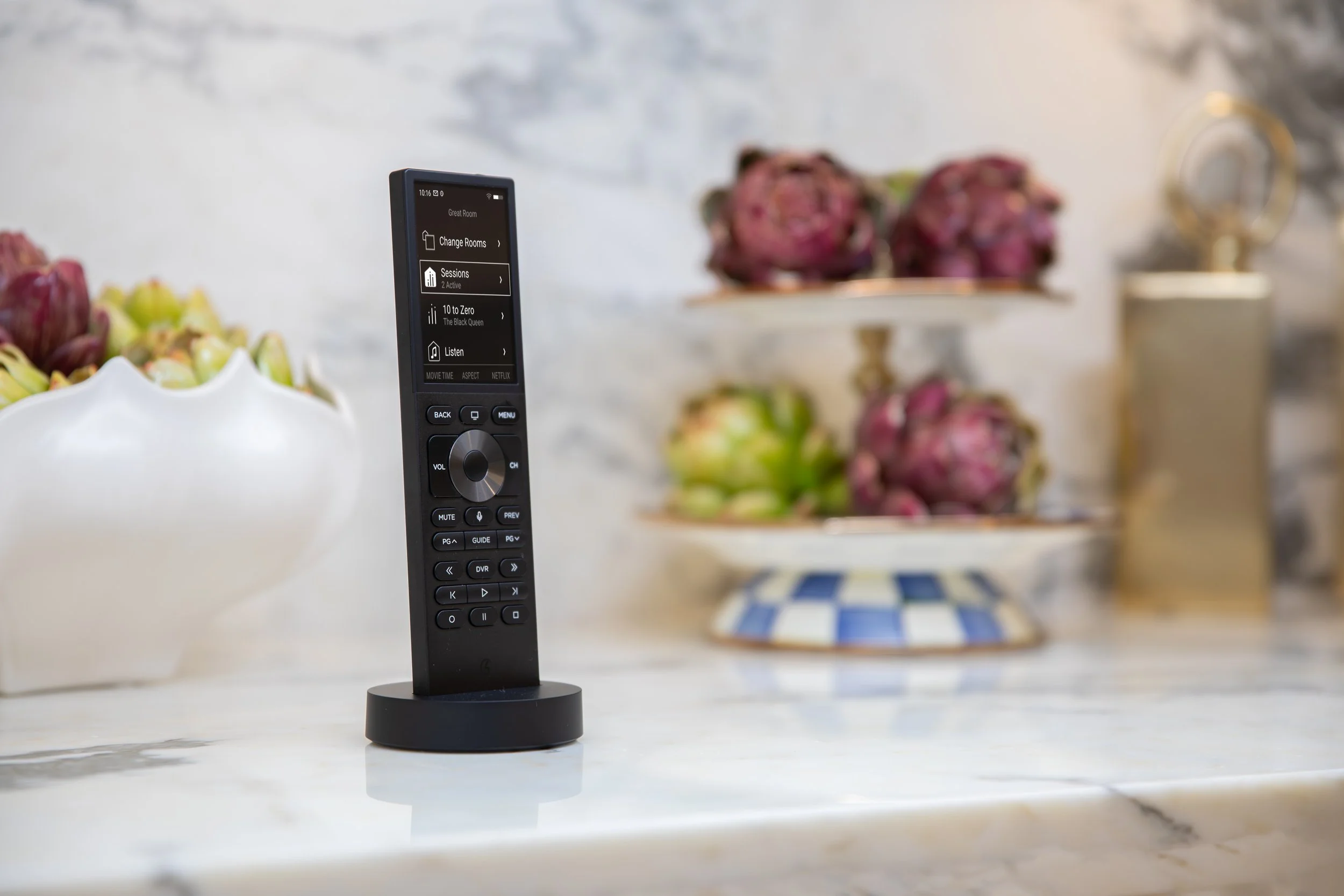
Bring compatible TVs, streaming players, cable boxes, soundbars, and receivers into a consistent experience. A Control4 Halo remote puts entertainment control in your hand, with the app and touchscreens available too.
Voice functions depend on the remote, source, service, and system configuration. We confirm the exact functions for your equipment.
The TV and receiver turn on, the streaming input is selected, and the remote adjusts the correct speakers.
INTELLIGENT LIGHTING
The right light.
One beautiful button.
Keypads that make sense
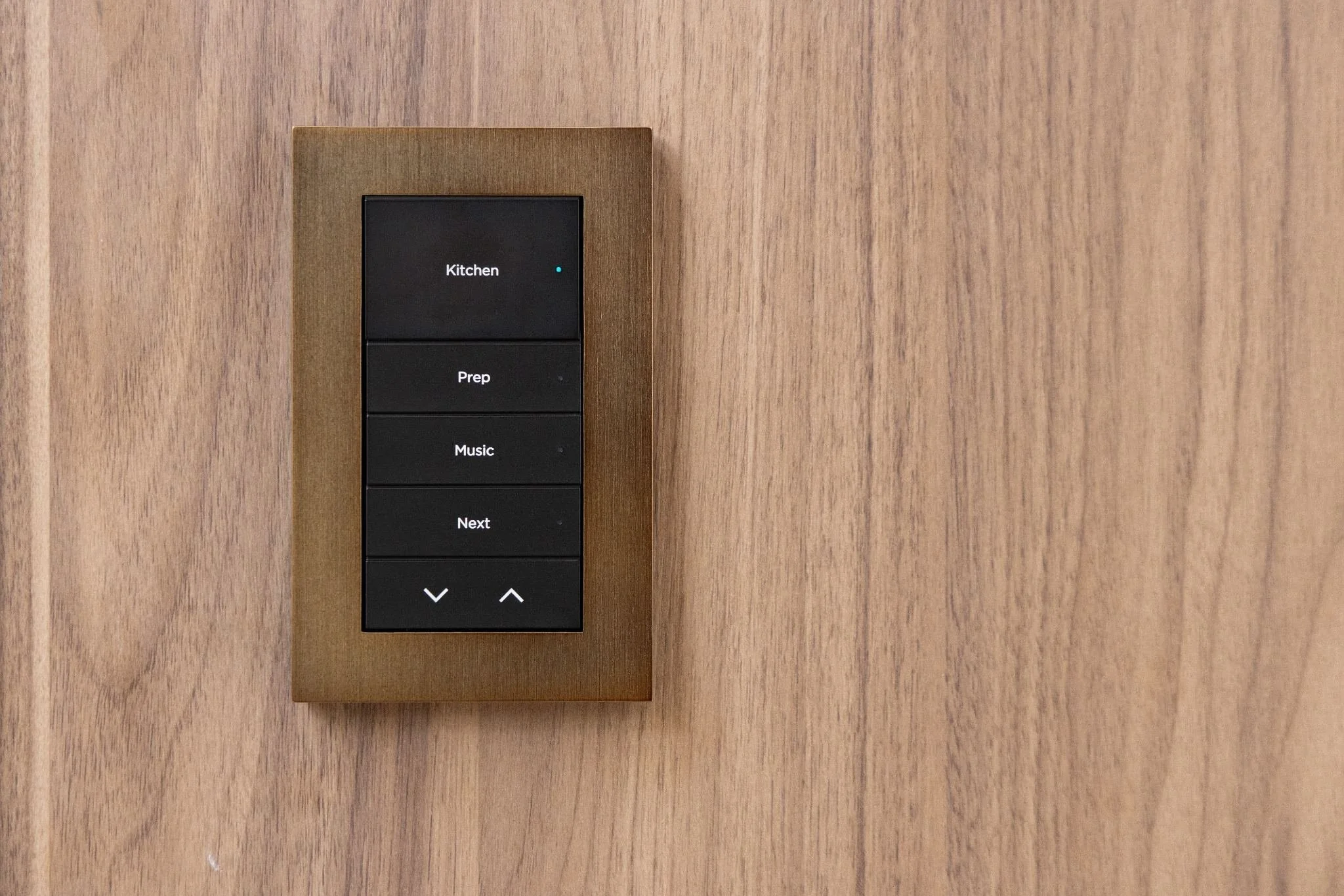
A keypad is a set of personalized scene buttons. Labels such as Cook, Dinner, Relax, or All Off tell you what to expect. One button can control a room or coordinate several systems.
Control4 keypad options include configurable buttons, finishes, engraving, and status lighting. We select the right style and layout for your rooms.
Tap Dinner: pendants soften, cabinet accents glow, and your dinner playlist begins.
Go beyond turning lights on and off. Set several fixtures to different brightness levels at once, recall favorite looks, and let schedules do the remembering.
Scenes, schedules & sensors
Keep bright task lighting for cooking and a softer setting for winding down. Sunset schedules can bring on exterior lights; compatible motion sensors can illuminate a low-level hallway path after dark.
Wireless dimmers suit many existing homes. Centralized lighting can place dimming equipment in a dedicated panel for a cleaner wall design in new construction or major renovations.
We check fixture compatibility, dimming performance, wiring, and the controls you want to keep.
Light the architecture.
Bring beautiful, discreet light beneath cabinets, into shelving, along stairs, behind mirrors, and inside ceiling coves.
Control4 Vibrant linear lighting offers options for white light, adjustable white tones, and color. Available effects depend on the LED tape and control hardware selected.
We plan the power supplies, wiring, lighting zones, and channels with diffusers to create an even finish and keep equipment accessible.
Bright under-cabinet light for meal prep transitions to warm evening accents with a single scene.

SMALL MOMENTS. BIG DIFFERENCE.
What do lighting scenes do?
A scene brings several actions together. An automation starts an action when something happens, such as sunset or motion. Explore a few scenes we could personalize for you.
A warm welcome. Without the to-do list.
Press Welcome Home on a keypad or in the app. Your evening begins with the spaces you use most already set.
- Lighting Entry and kitchen lights come on.
- Music Your preferred playlist starts softly.
- Comfort A comfortable temperature is selected.
- Shades Selected shades move to your evening position.
Illustrative scenes, not live device controls. Each action is tailored to your equipment and preferences; door and security actions are deliberately planned with you.
WHOLE-HOME AUDIO
Your music.
Room to roam.
What do the matrix and amp do?
Think of the audio matrix as the traffic director: it sends a selected music source to the rooms you choose. The amplifier supplies power to the speakers. Control4 coordinates the commands so you simply select a room, choose what to hear, and set the volume.
A zone is an area controlled together, such as the kitchen or patio. The number of independent playlists depends on the available sources and streams—not just the number of speakers.
Listen to a podcast in the kitchen while someone else plays music on the patio. Group rooms for a gathering, then adjust each room’s volume independently.
TAKE IT FOR A SPIN
One playlist.
As many rooms as you like.
Try the way shared music feels. Choose a session, tap Link rooms, and bring another room into the music.
- Choose your soundtrackSwitch between two independent music sessions.
- Bring the rooms togetherSelect the rooms you want to hear it in, then tap Done.
- Find the right levelAdjust one room or the entire group.
Interactive demonstration inspired by Control4 X4. No audio plays and no real devices are connected. Actual screens and features vary by system.
jazzTHE SOUND OF HOME
Evening jazz
Kitchen + Dining room
Music throughout your home
A LITTLE PREVIEW OF EVERYDAY CONTROL
Clean, discreet sound
Speakers can blend into ceilings and walls while central equipment stays in a ventilated rack. We plan coverage, speaker placement, power, and room tuning.
-
Music sources
Streaming players, supported music services, TV audio, or your connected music collection supply the sound.
-
Audio matrix
Routes each source to the rooms you choose. Share one soundtrack across your home or send different sources to different spaces.
-
Multi-channel amplifier
Supplies the power your speakers need to deliver sound throughout each listening zone.
-
Speakers throughout your home
In-ceiling, in-wall, freestanding, or outdoor speakers bring the music into each space.
Your favorite sources
Supported streaming services, AirPlay 2 on compatible equipment, and physical sources can be part of the design. Service subscriptions, accounts, and supported hardware vary.
A system sized for you
Triad matrices and amplifiers are one approach. Streaming amplifiers can serve individual rooms where running every speaker cable to a central rack is impractical.
-
No. Distributed audio focuses on music coverage across rooms. A theater uses an AV receiver or processor and deliberately positioned speakers for dialogue, surround effects, and bass. We can connect the experiences while designing each for its purpose. TV audio routing also needs careful lip-sync planning.
ACCESS & AWARENESS
A closer connection.
Even when you’re away.
See useful information about your home and act from a familiar interface. Supported locks, sensors, cameras, and security systems add everyday convenience and awareness.
Garage doors & gates
Check whether a connected garage door is open or closed, receive a reminder, and operate supported equipment. Position sensors provide actual status; a relay alone may not.
We verify opener compatibility and preserve the required safety features. Remote closing is only configured with appropriate equipment and safeguards.
Door locks
Lock or unlock compatible doors and check their status. Supported locks may also provide individual access codes, battery information, and entry notifications.
A locked deadbolt and a closed door are different conditions. A separate door sensor can help confirm both.
Cameras & security
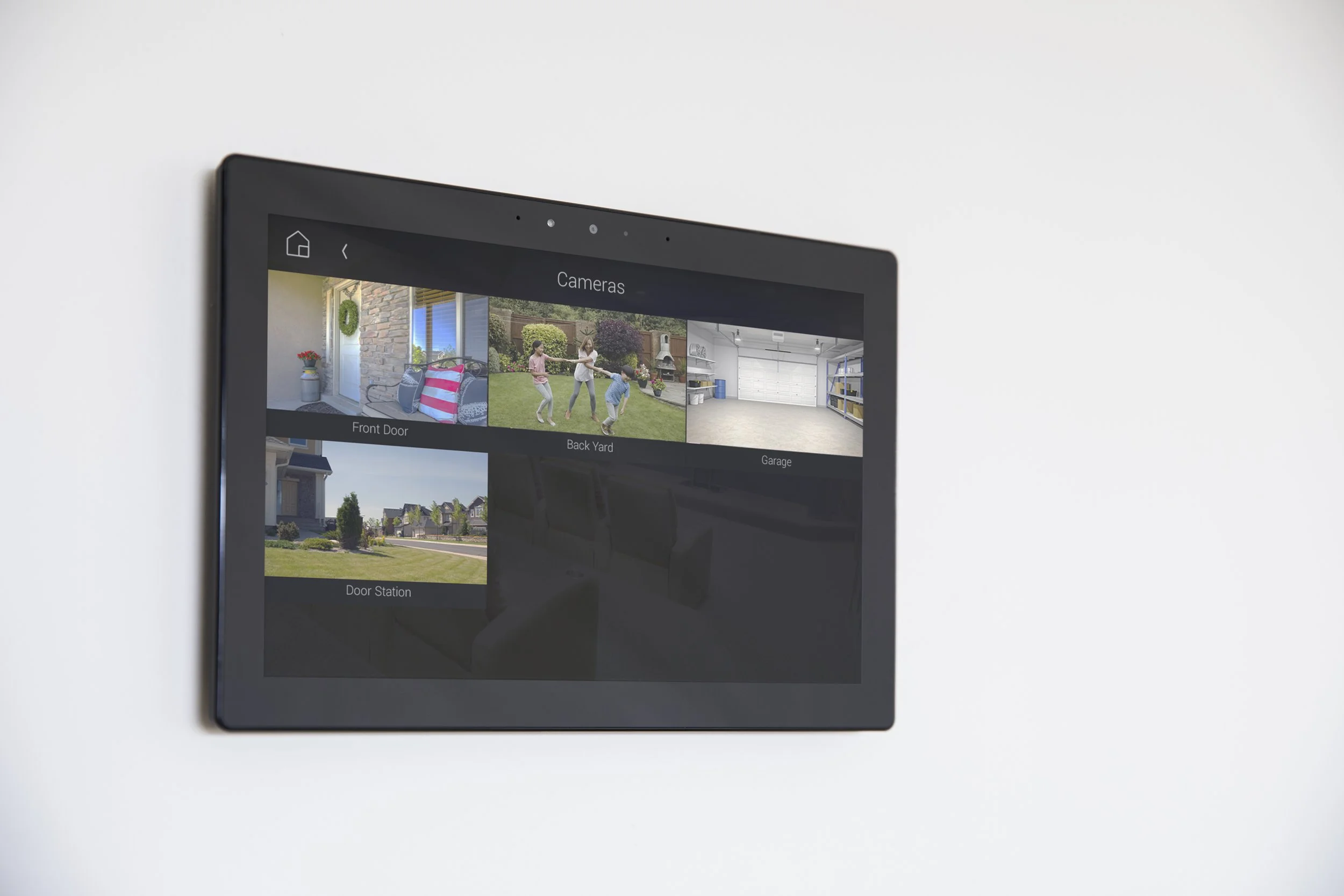
View compatible cameras and bring supported alarm panels into the control experience. A planned event can turn on exterior lighting or send a notification.
Recording, AI detection, storage, alarm monitoring, and response services depend on the equipment and subscriptions selected.
Doorbells & intercom
See and speak with visitors through compatible video doorbells or door stations. Supported touchscreens can connect rooms, while eligible remote features extend that experience to your phone.
Availability depends on the door station, mobile setup, network, and active services.
A home that settles
into your rhythm.
Motorized shades
Raise selected shades in the morning, reduce afternoon glare, and close them for evening privacy. Combine supported shades with lighting and theater scenes.
Climate control
Adjust compatible thermostats, use schedules, and include temperature settings in home and away scenes. HVAC integration depends on your heating and cooling equipment.
Outdoor living
Bring patio audio, outdoor TVs, landscape lighting, and supported pool or spa controls together. Equipment is selected for the environment and intended integration.
Helpful alerts
Compatible water, contact, and motion sensors can trigger useful notifications or programmed actions. A supported water valve can be included in a professionally designed leak-response plan.
A lived-in look
Program lighting activity while you travel and set exterior lights relative to sunset. These convenience features complement your security plan.
Less wasted energy
Use schedules, occupancy-based lighting, and intentional temperature settings to reduce unnecessary operation. Results depend on your equipment, home, and habits.
Easy for you.
Easy for everyone.
Use the control that feels natural in the moment. A guest can press a clearly labeled keypad; you can manage more detail from a touchscreen or the app.
On the wall
Keypads offer quick, repeatable actions without opening a phone. Touchscreens add room browsing, device status, music selection, and supported intercom features.
On the sofa
A dedicated remote makes everyday watching familiar, with physical buttons and control of compatible TVs, streaming players, receivers, and other entertainment equipment.
On your phone
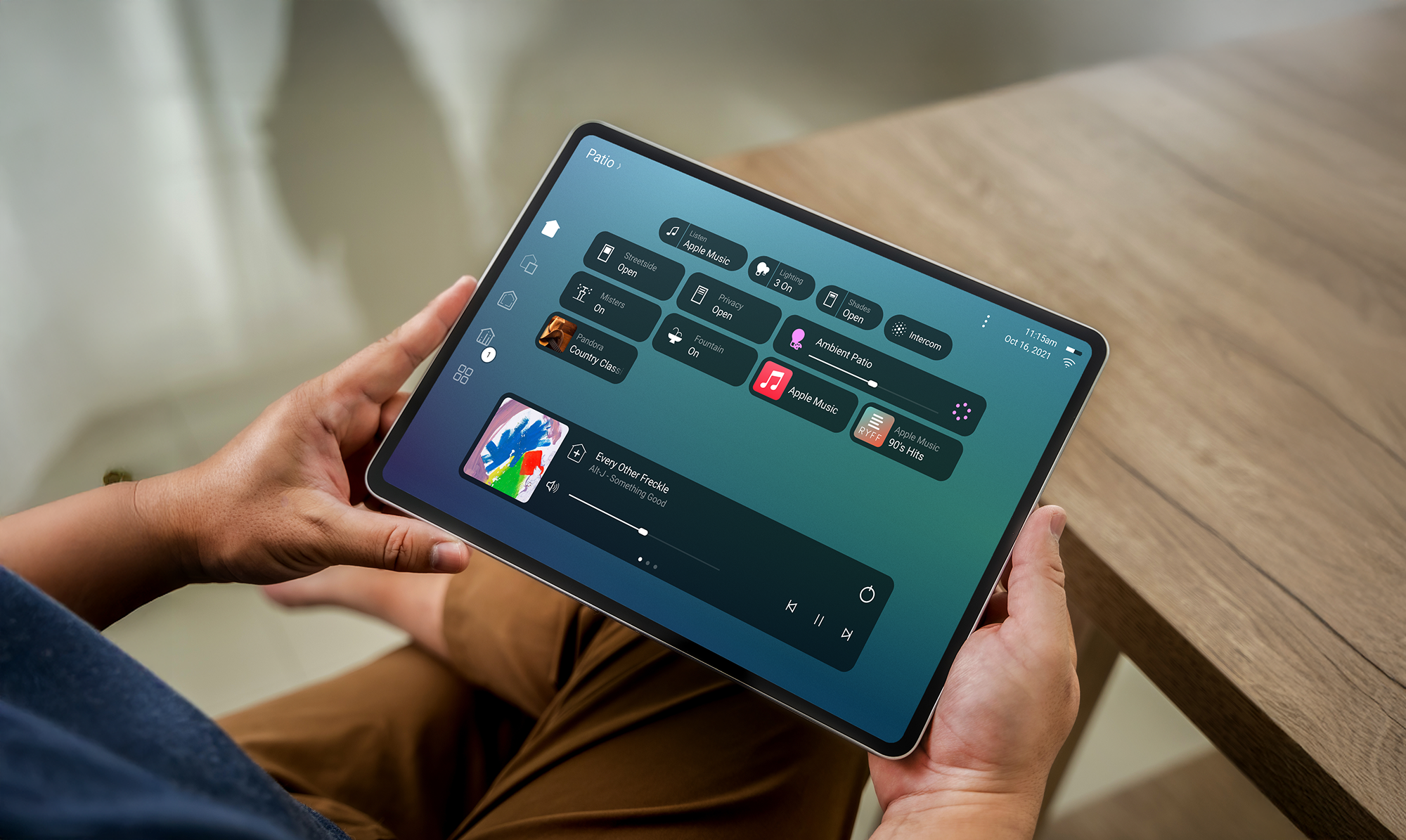
The Control4 X4 app brings supported lights, music, shades, security, and more into one interface. Favorites and available personalization tools keep everyday actions close.
By voice or routine
Supported voice integrations and programmed events offer additional convenience. Available commands and subscription requirements vary; sensitive actions are configured thoughtfully.

Thoughtfully planned.
Personally programmed.
The best system begins with how you live. We translate that into the right equipment, a dependable network, and controls that feel familiar from day one.
-
Start with your day
Tell us which routines, rooms, and frustrations matter most. We establish priorities and a realistic scope.
-
Design the foundation
Review existing devices, wiring, Wi-Fi, network capacity, equipment space, and future expansion.
-
Install & personalize
Integrate compatible equipment, tune the experience, and program scenes around your preferences.
-
Learn & refine
Walk through everyday controls and agree on support. Adjust the system as your routines evolve.
The part you rarely see matters most.
Reliable networking, appropriate cabling, power management, equipment ventilation, and documented programming support the entire experience. For a new build, planning before the walls close creates more options. In an existing home, we assess wireless controls and practical wiring paths.
Good questions.
Simply answered.
What is Control4, in plain English?
It is a professionally designed control system that connects compatible home technology. A controller coordinates devices, and you interact through keypads, remotes, touchscreens, or an app. It lets multiple devices respond together instead of being operated separately.
Do we need to automate the entire house?
No. Start with a media room, several audio zones, or a set of everyday lighting scenes. We plan the controller, wiring, network, and expansion capacity around both today’s priorities and your longer-term goals.
Can you use equipment we already own?
Often. We check the exact model, available integration driver, connection method, and functions supported. Some devices provide basic commands; others offer detailed status and control. Compatibility is confirmed before we propose the system.
Does it work in an existing home?
Yes. Wireless lighting controls, network-based integrations, and distributed audio options can suit existing homes. Speakers, shades, panels, and network equipment may still need wiring or power, so a site review determines what is practical.
What happens if Wi-Fi, internet, or power goes out?
These are different situations. A Wi-Fi issue can affect wireless app access or Wi-Fi devices while wired and other local controls remain available. An internet outage interrupts cloud services and streaming, but many local functions can continue. A power outage affects unprotected equipment; backup power can support selected components for a limited time.
Can I change scenes myself?
Supported app features allow everyday adjustments and personalization, depending on your software, equipment, and services. Adding devices and more involved integration or programming typically require your Control4 dealer. We show you the controls available in your system.
Are there monthly or annual costs?
There can be. Remote access and other connected features may use a Control4 service subscription. Music, video, surveillance, monitoring, and support services may have separate costs. We identify the applicable services and recurring charges in your proposal.
How much does a Control4 system cost?
Scope drives the price: the rooms, lighting loads, audio zones, interfaces, wiring, equipment, integration complexity, and support you choose. A focused room and a fully integrated new home are very different projects. We begin with your priorities and provide a tailored proposal.
Does every feature on this page come with every system?
No. This page describes possibilities. Every project has a defined equipment list, supported integrations, programming scope, and service plan. We confirm which examples apply to your home before installation.

START WITH A CONVERSATION
Let’s create a new vision for your home.
Tell us what you want to simplify, improve, or experience differently.